
OfficeBrandSuite solution
Keep every table on brand, across Word, PowerPoint and Excel
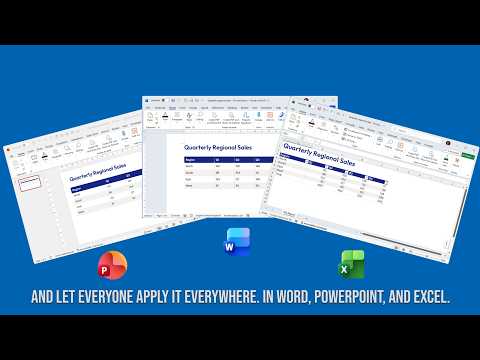
Table Branding Manager is the first OfficeBrandSuite solution for standardizing branded tables across Microsoft Office documents. Instead of rebuilding the same formatting by hand in every file, teams define one approved style and apply it consistently across templates and documents.
Common problems this solves
- Every colleague uses a slightly different table style, even within the same brand.
- PowerPoint has no practical table style editor, so styling is inconsistent there.
- Updating a template does not automatically update older documents that are already in use.
- Word, PowerPoint and Excel handle table styles differently, which makes applying one brand across all three hard.
- A new or updated template automatically gives every new document the right style.
- The Import-only edition lets employees bring existing documents up to date too, without design access.
Table Branding Manager gives you a single way to manage the formatting instead of rebuilding it three times.
See it in action
Watch how it works
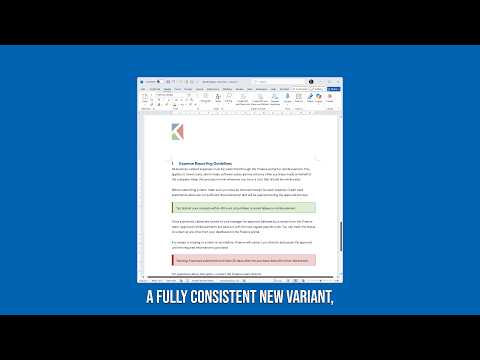
A quick look at applying one branded table style across Word, PowerPoint and Excel.
All videos

Two editions
Choose the edition that matches the job
Import-only edition
Apply a ready-made table style to existing Word, PowerPoint and Excel files without giving users design access.
- Bring older documents on brand
- Set a style as the default
- Low risk for broad rollout
Full edition
Design and edit styles in one editor and export them as a reusable .ksstyle file for use across your Office documents.
- Create and manage styles
- Use the same design in Word, PowerPoint and Excel
- Designed for template owners and design teams
Need to compare the options?
Review the pricing, system requirements and edition differences before choosing the setup that fits your organization.