
Table Branding Manager
Create custom table styles in PowerPoint
PowerPoint's ribbon only offers a fixed gallery of built-in table styles. There's no option in the interface to design your own, the way Word lets you edit table styles. Table Branding Manager adds that missing editor, so you can create a custom table style once and apply it everywhere it belongs.
Why PowerPoint makes this hard
PowerPoint stores table styles inside the file itself. Editing that by hand is possible, but it's easy to end up with a corrupted file, there's no live preview while you work, and the result still doesn't apply to presentations that already exist.
Table Branding Manager replaces that manual work with a visual editor and a style file you can reuse.
No built-in editor. The table style gallery on PowerPoint's ribbon only contains fixed, predefined styles. There's no "edit" or "new style" option for it anywhere in the interface.
Design once, apply everywhere
Design your custom table style visually in the Full edition: fill color, borders, font and cell margins, per part of the table. Export it as a reusable .ksstyle file.
Apply that style to templates for new presentations, to presentations you already have, and set it as the default so new tables pick it up automatically.
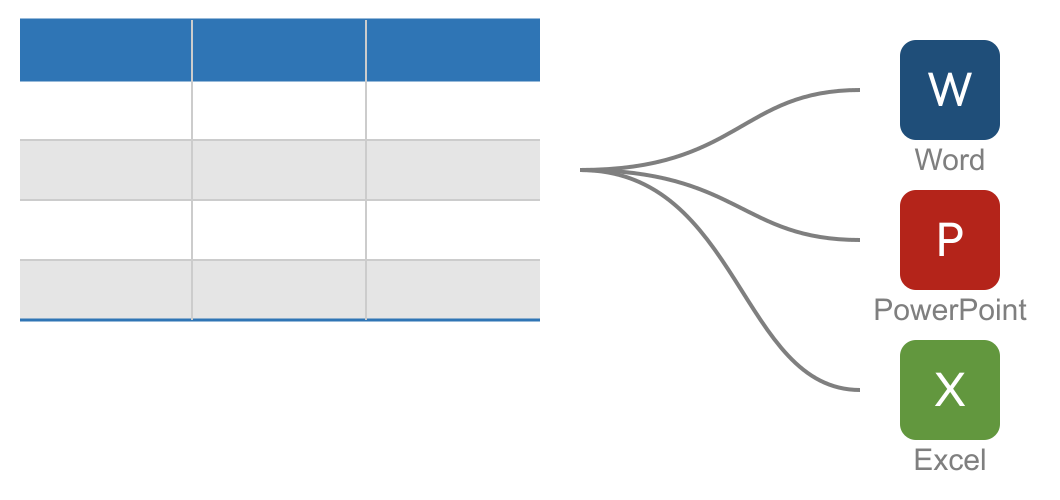
Also works in Word and Excel
One style, three applications
The same .ksstyle file also applies in Word and Excel, so a table style designed once doesn't have to be rebuilt by hand for every application. For Excel, which already has its own table style editor, a conversion takes place on import.
See the overviewTwo editions
Designing a style, or just applying one?
Full edition
Design your own table styles, including the one this page is about, and apply them yourself, to templates and to files you already have, across Word, PowerPoint and Excel.
See Full editionImport-only edition
Apply a table style designed with the Full edition to existing Word, PowerPoint and Excel files. It can only apply an approved style, not design or edit one.
See Import-only editionCommon questions
-
Not from the ribbon's built-in gallery, that only offers a fixed set of styles. Table Branding Manager's Full edition is a dedicated editor for designing your own table style, which you can then add to PowerPoint's table style gallery.
-
Inside the file itself, in ppt/tableStyles.xml. That's why a style doesn't automatically travel between files: it has to be exported and imported, or recreated by hand.
-
Yes. Table Branding Manager edits existing .pptx and .pptm files directly, not just templates, so already-created presentations can get the approved style too. The Full edition lets you design a style and apply it yourself. The Import-only edition can only apply an approved style to your own files, not design or edit one. Compare the two editions.
-
Yes. Export the style as a .ksstyle file and apply it in Word and Excel as well. Word, PowerPoint and Excel each store table styles differently and support slightly different capabilities; Table Branding Manager handles that for you and aims for maximum compatibility when importing the style into each application. See the requirements.
Ready to design your own table style?
Check the pricing for both editions, or download Table Branding Manager to try it yourself.